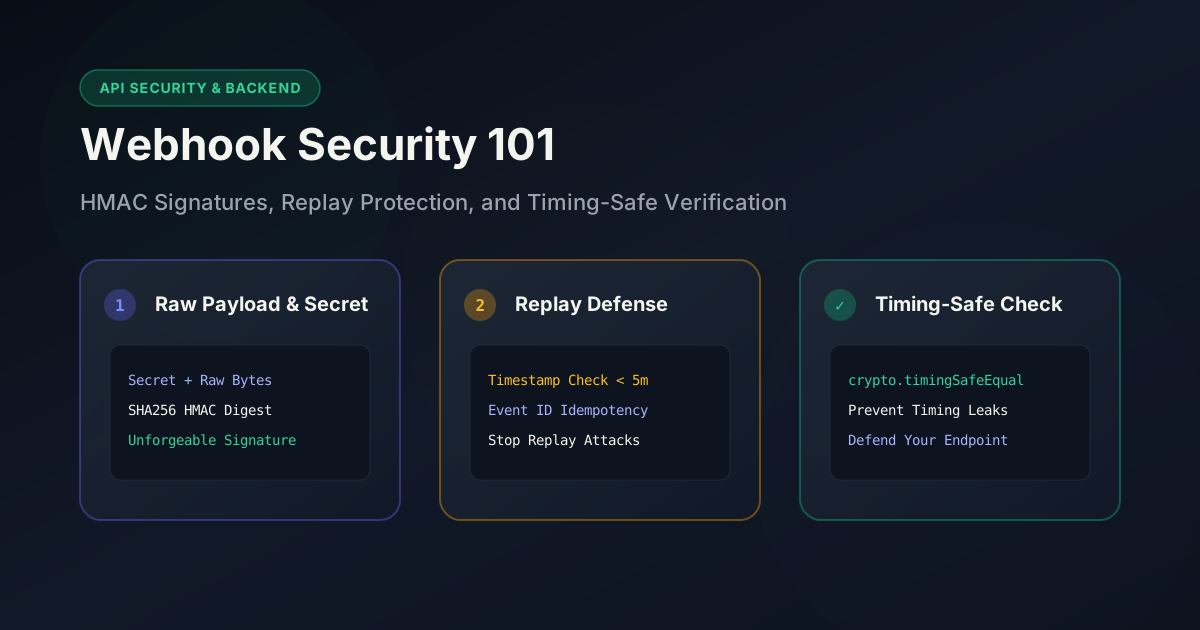
Webhook Security 101: HMAC, Signatures, and How to Not Get Spoofed
Imagine your payment gateway tells your application:
"A payment of ₹5,000 has been completed."
Should your server believe it immediately?
Absolutely not.
Anyone on the internet can send an HTTP POST request that looks exactly like a legitimate webhook. Without proper verification, an attacker could fake payment confirmations, trigger deployments, create fake orders, or even delete user data.
That's why nearly every major platform—Stripe, GitHub, Discord, Slack, Shopify, Razorpay, and many others—signs webhook requests before sending them.
In this guide, you'll learn:
- Why webhooks are vulnerable
- How attackers spoof webhook requests
- What HMAC actually is
- How webhook signatures work
- Why timestamps matter
- How to prevent replay attacks
- Common implementation mistakes
- Best practices followed by major APIs
Let's secure your webhook endpoints.
What Is a Webhook?
A webhook is simply an HTTP callback.
Instead of your application repeatedly asking another service:
"Any updates?" "Any updates now?" "How about now?"
the service pushes data to your endpoint whenever something happens.
Example:
Customer completes payment
        ↓
Payment Provider
        ↓
POST /webhook
        ↓
Your Backend
Example payload:
{
  "event": "payment.completed",
  "payment_id": "pay_12345",
  "amount": 5000,
  "currency": "INR"
}
Seems simple.
The problem?
Anyone can send the exact same JSON to your server.
Why Webhooks Are Dangerous
Suppose your endpoint looks like this:
POST /webhook
Your backend receives:
{
  "event": "payment.completed",
  "amount": 100000
}
If your code simply processes this request:
if (body.event === "payment.completed") {
    markOrderPaid();
}
You've just trusted a complete stranger.
An attacker could use curl:
curl https://yourapi.com/webhook \
-H "Content-Type: application/json" \
-d '{
  "event":"payment.completed",
  "amount":100000
}'
Congratulations.
They just received products without paying.
The Goal of Webhook Verification
Webhook verification answers one question:
Did this request actually come from the service that claims to have sent it?
Notice what we're not asking.
We're not checking:
- whether the JSON looks correct
- whether the fields exist
- whether the request is HTTPS
We're verifying who created the message.
Enter HMAC
HMAC stands for:
Hash-based Message Authentication Code
Although the name sounds intimidating, the concept is surprisingly simple.
Both you and the webhook provider share a secret.
Example:
SuperSecretWebhookKey123
Nobody else knows it.
When the provider sends data, it computes:
HMAC(secret, request_body)
This produces something like:
6f8df64c91d9...
It sends:
POST /webhook

Signature:
6f8df64c91d9...
Your server performs the exact same calculation.
If both signatures match:
✔ Request is authentic.
If they don't:
❌ Reject immediately.
Visualizing the Process
Webhook Provider
─────────────────────────────

Payload
↓

HMAC(secret + payload)

↓

Signature

↓

Send both payload + signature

─────────────────────────────

Your Server

Payload
↓

HMAC(secret + payload)

↓

Compare

↓

Match?
│
├── Yes → Process webhook
│
└── No → Reject
No secret.
No valid signature.
No access.
Why Hashing Alone Isn't Enough
Many developers think this is enough:
SHA256(body)
It isn't.
Anyone can calculate SHA-256.
Example:
SHA256("Hello")
Every computer in the world gets the same result.
An attacker can calculate it too.
HMAC is different.
It includes the secret:
SHA256(secret + message)
Without knowing the secret, generating the correct signature is practically impossible.
What Does the Signature Look Like?
Different providers use different headers.
GitHub:
X-Hub-Signature-256:
sha256=...
Stripe:
Stripe-Signature:
t=171111111,v1=...
Discord:
X-Signature-Ed25519
Slack:
X-Slack-Signature
The principle remains exactly the same.
Basic HMAC Verification (Node.js)
import crypto from "crypto";

const signature = req.headers["x-signature"];

const expected = crypto
  .createHmac("sha256", process.env.WEBHOOK_SECRET)
  .update(rawBody)
  .digest("hex");

if (signature !== expected) {
    return res.status(401).send("Invalid signature");
}
Never verify against the parsed JSON object.
Always use the raw request body exactly as received.
Why the Raw Body Matters
This is one of the most common mistakes.
These two JSON objects are identical:
{
  "a":1,
  "b":2
}
{"b":2,"a":1}
After parsing, they're equivalent.
But their original bytes are different.
HMAC works on bytes.
Changing whitespace, formatting, or key order changes the signature.
Always compute the HMAC using the untouched request body.
Why Timing-Safe Comparison Matters
Many developers compare signatures like this:
if (signature === expected)
This comparison can leak tiny timing differences.
Instead, use:
crypto.timingSafeEqual(
    Buffer.from(signature),
    Buffer.from(expected)
);
Timing-safe comparison helps prevent timing attacks that attempt to infer valid signatures byte by byte.
Replay Attacks
Imagine an attacker intercepts a legitimate webhook.
They don't know the secret.
But they don't need to.
They simply resend the exact request.
Payment Completed

↓

Captured Request

↓

Replay 500 times
Without replay protection:
- Payment processed again
- Credits added again
- Inventory updated again
The signature is still valid because the payload hasn't changed.
How Timestamps Prevent Replay Attacks
Many providers include a timestamp.
Example:
Timestamp:
1711111111
The signature covers:
timestamp + payload
Your server verifies:
- Signature matches
- Timestamp is recent
Example:
Current Time:
1711111200

Webhook Time:
1711111111

Difference:
89 seconds

Accept
But:
Difference:
30 minutes

Reject
Stripe recommends accepting requests only within a small time window (commonly five minutes).
Event IDs for Extra Protection
Many webhook providers include an event ID.
Example:
{
  "id": "evt_123456"
}
Store processed IDs.
If you receive:
evt_123456
again:
Already processed

↓

Ignore
This prevents duplicate processing even if a webhook is retried.
Common Mistakes Developers Make
1. Trusting IP Addresses Alone
IP allowlists can add another layer of security, but they shouldn't replace signature verification.
Cloud providers, proxies, and infrastructure changes can make IP-based checks unreliable on their own.
2. Logging Secrets
Avoid this:
console.log(secret);
Or:
console.log(signature, secret);
Secrets belong in secure environment variables, not logs.
3. Ignoring Failed Verification
Never continue processing after a failed signature check.
Bad:
if (!valid)
    console.log("Invalid");

processWebhook();
Good:
if (!valid)
    return res.status(401).end();

processWebhook();
4. Using the Parsed Body
Always verify:
Raw bytes
Not:
Parsed JSON
5. Using Weak Secrets
Don't use:
password123
Generate long, random secrets (at least 32 bytes of entropy) and rotate them periodically.
Best Practices Checklist
Before deploying a webhook endpoint, make sure you:
- Verify every webhook signature.
- Use the raw request body.
- Compare signatures with timing-safe functions.
- Reject invalid signatures immediately.
- Validate timestamps.
- Prevent replay attacks with event IDs.
- Store secrets in environment variables or a secrets manager.
- Rotate webhook secrets periodically.
- Return appropriate HTTP status codes.
- Log verification failures without exposing sensitive data.
- Make webhook handlers idempotent so duplicate deliveries don't cause duplicate side effects.
Helpful Tools for Working with Webhooks
When debugging or implementing webhook verification, these tools can save time:
Hash Generator
Want to understand how hashing works before diving into HMAC? A Hash Generator lets you experiment with algorithms like SHA-256 and compare outputs for different inputs. While HMAC uses a secret key in addition to hashing, seeing how plain hashes change with different data is a great way to build intuition right in your browser:
Hex Encoder/Decoder
HMAC digests (and output signature buffers like sha256=...) are commonly represented as hexadecimal strings (.digest("hex")). A Hex Encoder/Decoder helps you convert raw text or inspect and verify hexadecimal signature representation values during development:
Base64 Encoder/Decoder
Some providers (or custom webhook implementations) encode binary payload data, asymmetric public/private keys, or signatures using Base64 instead of Hex. A Base64 Encoder/Decoder lets you instantly inspect and convert encoded strings while debugging webhook payloads:
Real-World Flow
Here's what a secure webhook request typically looks like:
Webhook Provider

↓

Create JSON payload

↓

Generate timestamp

↓

Compute HMAC(secret + timestamp + payload)

↓

Send:
- Payload
- Timestamp
- Signature

↓

Your Server

↓

Read raw body

↓

Verify timestamp

↓

Recompute HMAC

↓

Timing-safe comparison

↓

Already processed?

↓

No

↓

Process event
Every step exists to make spoofing or replaying requests significantly harder.
Final Thoughts
Webhook security isn't complicated—but it does require discipline.
The biggest mistake developers make is assuming that because a request contains valid-looking JSON, it must be legitimate. In reality, any HTTP client can send a request to your webhook endpoint.
A secure webhook implementation should verify the signature, use the raw request body, compare signatures safely, validate timestamps, and protect against replay attacks. These small checks are what separate a production-ready webhook endpoint from one that's easy to exploit.
If you're integrating with services like Stripe, GitHub, Slack, Discord, Razorpay, or Shopify, signature verification isn't optional—it's the foundation of trusting incoming events.
Take the time to implement it correctly today, and you'll avoid a class of security vulnerabilities that are surprisingly common in real-world applications.